
How to use Rechargly when your firm runs on FYI
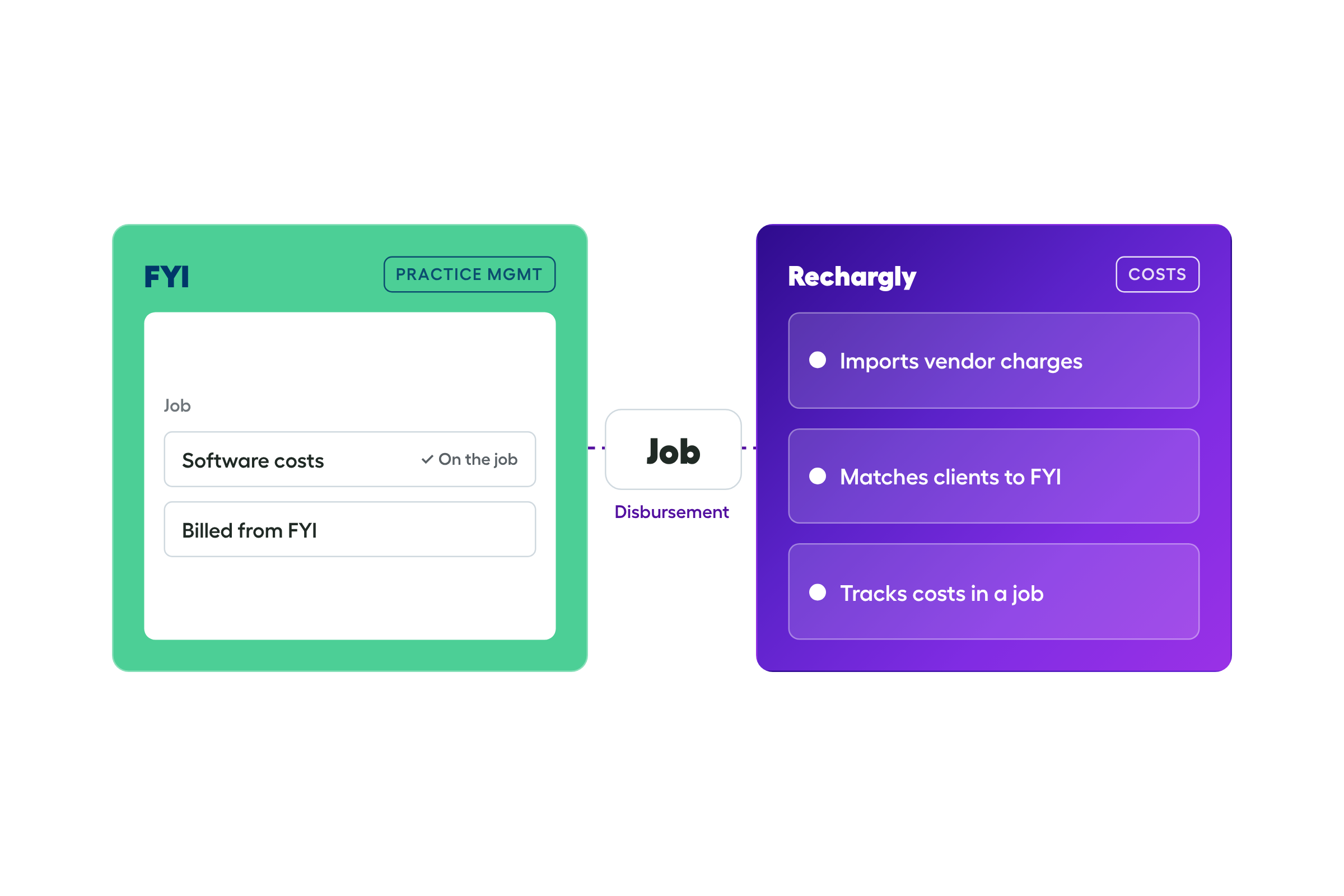
TL;DR. If FYI Elite is your practice management system, the software you pay for on a client's behalf should be a disbursement on their job. The amounts are on the vendor invoice. The work is getting each line onto the right client and the right job.
FYI is built around jobs, time and billing, with documents and clients alongside. Software doesn't arrive in that shape. One vendor invoice can cover hundreds of clients. Each line has a client name on it and no job.
So every month someone works down the invoice. They match each client name to FYI, find or set up the job, and add the charge. One missed line is money you paid and never billed.
This page is about tracking the cost. How you bill the client is separate.
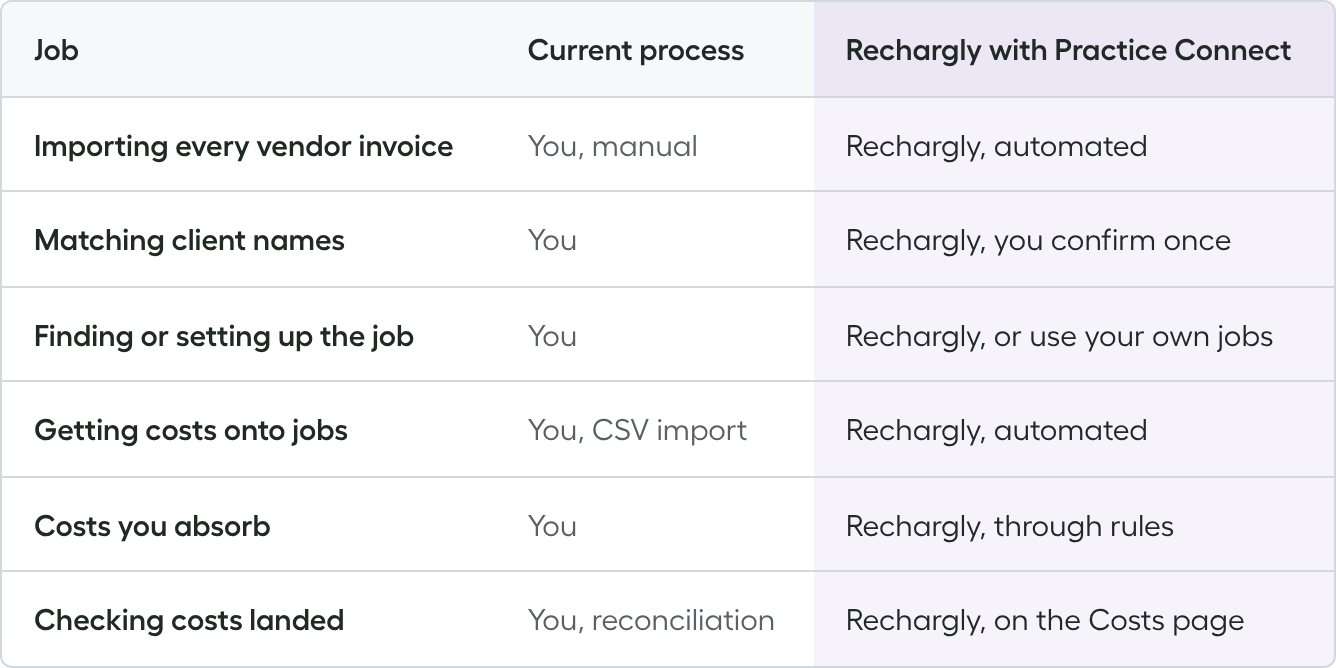
The jobs that need doing
Whichever setup you pick, these jobs exist:
- Importing every vendor invoice
- Matching client names between the vendor invoice and FYI
- Finding or setting up the right job for every client
- Getting each charge onto the job as a disbursement
- Deciding what to do with costs you absorb
- Checking each disbursement landed on the right job
The two setups differ in who does them.
Current process: load costs with a CSV import
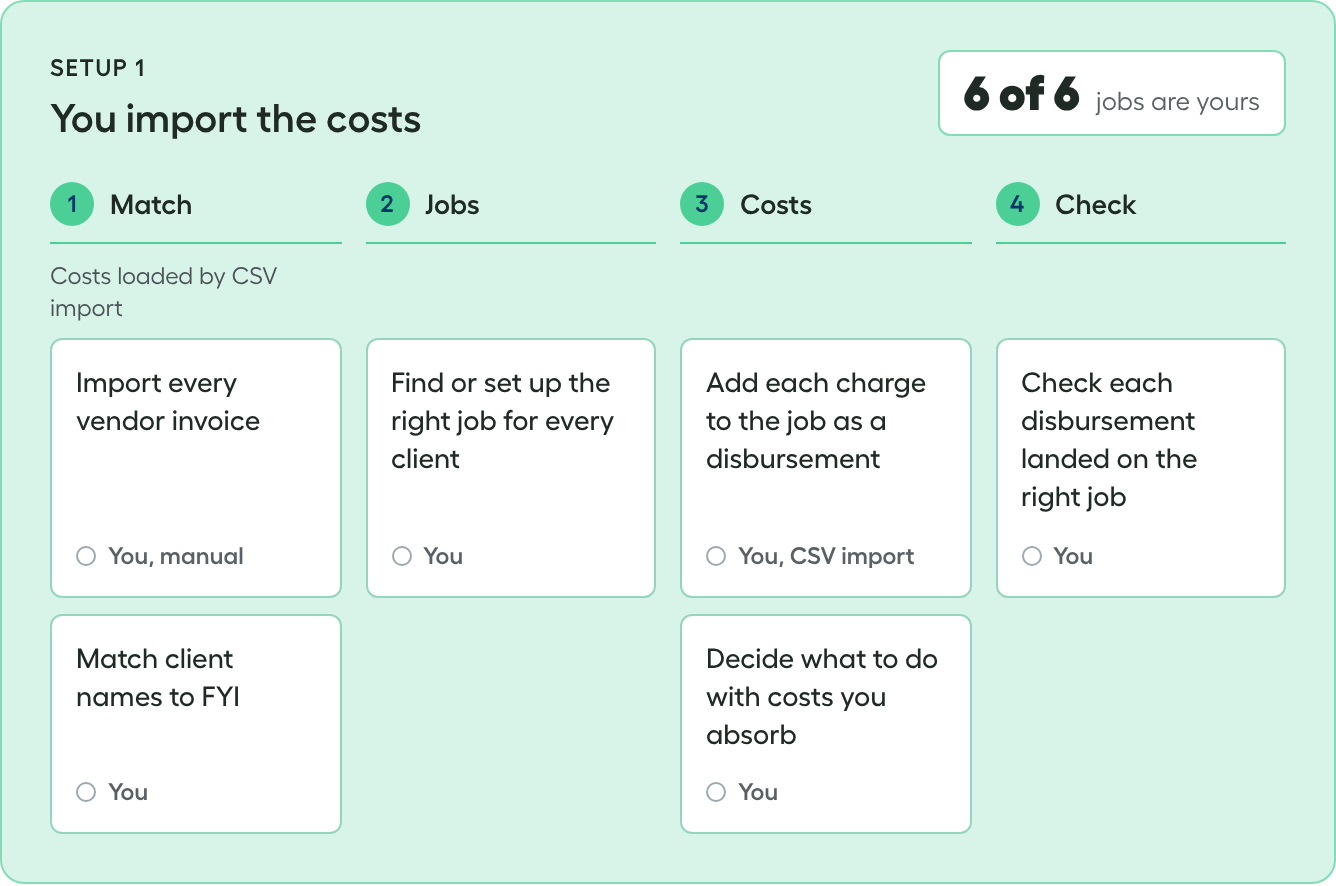
Each month you work through the vendor invoice, match each client to a job in FYI and load the charges with a CSV import.
You do
- Go through the vendor invoice
- Find the client in FYI, then the job for their software
- Load the charges onto the jobs with a CSV import, with the cost and what you'll bill
- Set up a job first if the client doesn't have one
- Decide how to record the costs you absorb
FYI does
- Holds each disbursement in work in progress against the client until you bill it
Best for: a handful of clients.
Trade-off: you build and load the CSV every month, and a missed line is money you paid and never got back.
Rechargly with Practice Connect
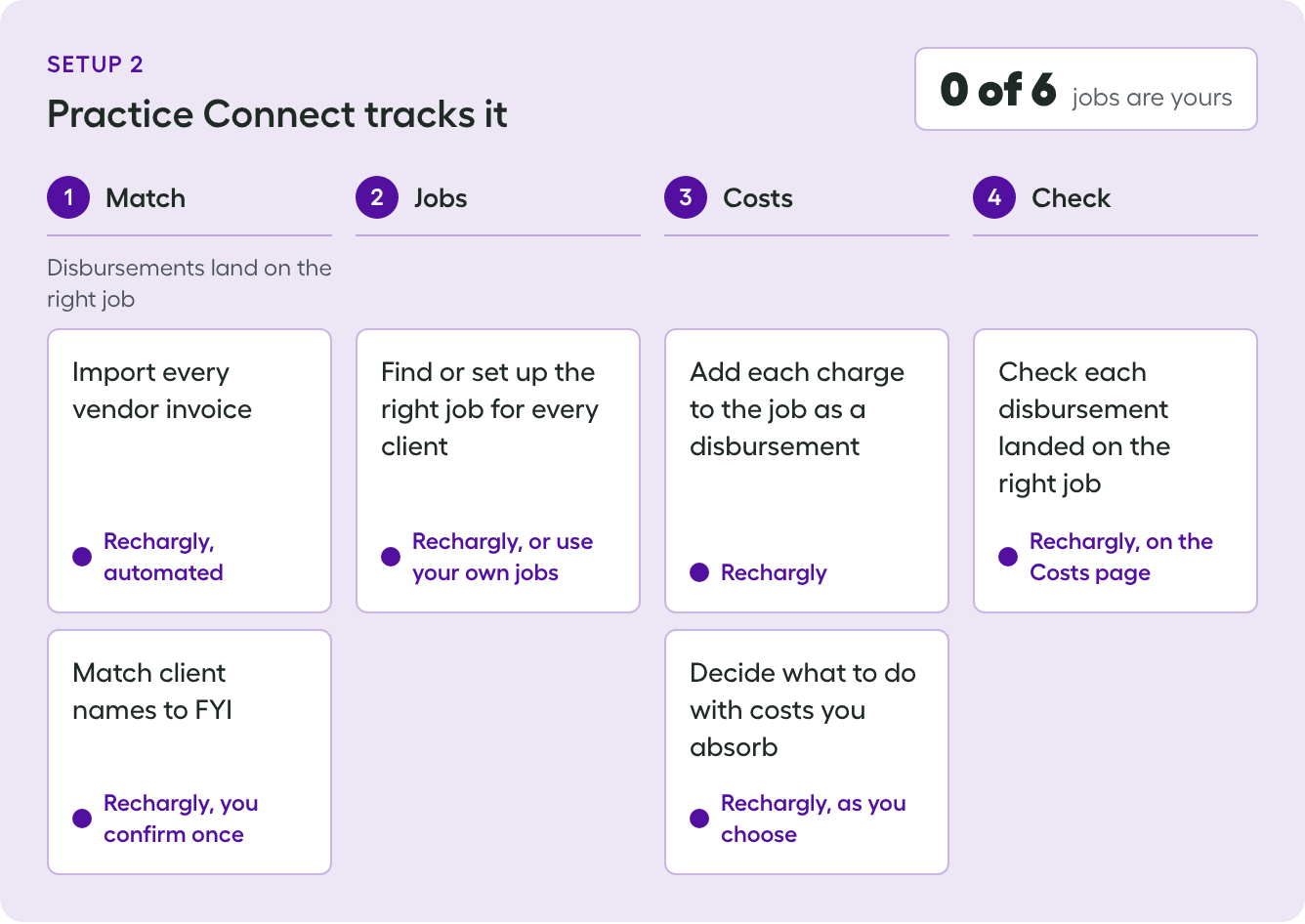
You connect FYI to Rechargly with your FYI access details. Rechargly matches its clients to your FYI clients and you confirm each match once. From then on it creates the job and posts each charge to it.
You do
- Connect FYI in Rechargly with the Access ID and Access Secret from FYI
- Confirm each client match once on the Mapping page
- Choose how jobs work: Rechargly creates one per client, or you point it at an existing FYI job
- Send a new client's first cost for tracking. After that, later charges flow through automatically
Rechargly does
- Reads the vendor invoice and works out which client each line belongs to
- Matches those clients to your FYI clients, so names only need confirming once
- Creates one job per client to hold their software disbursements
- Posts each charge to the job as a disbursement, with the date, description, amount and whether it's billable
- Records a cost you absorb as non-billable
- Keeps the job's state in step, such as In Progress and For Invoicing. You can switch that off
- Sees which disbursements FYI has invoiced and leaves them alone
- Never deletes anything in FYI
FYI does
- Holds each disbursement in work in progress against the client
- Bills it in your normal billing run
Best for: firms on FYI that want software costs in WIP without adding them via a spreadsheet manually.
Trade-off: there's a one-off setup, and it needs FYI's Elite plan with FYI as your practice management source.
Who does what
The bottom line
- Your current process works for a handful of clients.
- Rechargly with Practice Connect takes the manual loading away. Clients are matched once, and each cost is accounted for and goes to the right job.
If you're loading costs by CSV today, connecting is one set of FYI access details and a one-off client match.
FAQs
What is Practice Connect?
Practice Connect tracks your clients' software costs against a job in your practice management system. For FYI, Rechargly creates the job and posts each cost to it as a disbursement, so your work in progress is right. It's separate from billing the client.
Does Rechargly connect directly to FYI?
Yes. You copy an Access ID and Access Secret from FYI (Automations, then Apps) into Rechargly and choose your region. There's no file to move.
How does Rechargly match my clients to FYI?
By client name. It ignores case, spacing, punctuation and ampersands, and shows how close each match is. You confirm every match on the Mapping page before anything goes to FYI.
Can I use my own FYI jobs?
Yes. For each client you choose: Rechargly creates a job, or you point it at an existing FYI job you manage. When Rechargly creates the job, you pick the job type and who the manager and partner are.
How quickly do costs show up in FYI?
Usually within about a minute, once you've sent a client's first cost for tracking. Rechargly reads your clients, staff and jobs from FYI once a day, or when you ask it to.
What if a charge is removed or moved?
Rechargly never deletes in FYI. It voids the disbursement in place, so it drops out of WIP.
What about software costs we absorb?
They go to the job as non-billable, so you can still see what the client costs you.